Skip to content

Skip to content
Growit / o1 AI

GROWIT / O1 SERVICES

Bring the work.
Find the right help.

Explore o1 for your everyday work. When you want scoped help with thumbnails, titles, hooks, or your content system, choose a service and review exactly what is included.

Paid services are separate from your o1 subscription. Review the scope, delivery, and terms before checkout.

02 / OPTIONAL PAID SERVICES

A clear scope.
A practical handoff.

Four service packages for creator work. Compare what is included, then open the full scope before placing an order.

0172 hours

Thumbnail Packaging Sprint

Fast visual packaging help for one thumbnail direction that needs to win the click.

$149flat

One-time service order. Review the scope before checkout.

DELIVERY

Async Loom + asset notes

  • 1 thumbnail packaging teardown
  • 3 stronger layout directions
  • contrast and focal-point notes
  • text placement and hierarchy fixes
  • one final recommended direction

0248 hours

Title + Hook Pack

A tighter packaging angle for creators who need stronger titles and first-line hooks fast.

$199flat

One-time service order. Review the scope before checkout.

DELIVERY

Async doc + Loom walkthrough

  • 10 title options
  • 10 hook rewrites
  • 1 recommended packaging angle
  • 1 thumbnail text direction

  • quick rationale for what to test first
035 business days

Channel Packaging Audit

A structured channel teardown focused on what is suppressing clicks, clarity, and momentum.

$499flat

One-time service order. Review the scope before checkout.

DELIVERY

Audit deck + Loom teardown

  • channel positioning review
  • title and thumbnail pattern analysis
  • hook and promise breakdown across recent uploads
  • top 5 packaging fixes in priority order
  • 3 next-video packaging directions
041-2 weeks

Content System Setup

A higher-ticket offer for creators who want a repeatable niche, topic, and packaging system.

$1,500project

$500 deposit at checkout, applied toward the full project.

DELIVERY

Strategy call + system doc + implementation plan

  • positioning and niche lane definition
  • repeatable topic system
  • title, hook, and thumbnail frameworks
  • weekly content operating rhythm
  • handoff notes for editors or team members

Pricing and turnaround belong to each package. AI previews do not represent a paid order or completed service delivery.

03 / FROM BRIEF TO SCOPE

Know the work.
Choose the next step.

Use a scoped package when you know what you need, or ask about your project first.

01

Choose a scope

Compare the deliverables, price, and turnaround. Start with the package that fits the work you want help with.

02

Share the context

Use the offer page or inquiry form to explain your channel, current materials, and goal.

03

Review the next step

Check the scope and terms before checkout. Paid delivery follows the package you order; an inquiry is not a purchase.

04 / BEFORE YOU ORDER

A few useful
answers.

Review the package and terms before paying.

Billing & refunds
Are paid services included in my o1 plan?

No. These are separate, scoped service orders. You do not need a paid software subscription to review a package or send an inquiry. The AI workspace and its examples are separate from service delivery.

Does the Thumbnail Sprint include finished design files?

The sprint provides packaging direction, creative notes, and practical fixes your editor or designer can execute. It does not include a finished PSD or Figma file. Review the full scope on the offer page before buying.

How does the Content System Setup deposit work?

The full project is $1,500. Checkout collects a $500 deposit, which is applied toward the project and reserves strategy time. If you are unsure, use the inquiry or strategy-call option first and review the billing and refund policy.

Can I ask about the scope before paying?

Yes. Send an inquiry below or open an offer page to use its booking option. Your inquiry is a request for help choosing the scope; it does not place an order or charge you.

05 / ASK ABOUT YOUR PROJECT

Start with
a conversation.

Not sure which scope fits? Tell us about the work. Sending an inquiry does not start a checkout.

Start a conversation

Tell us about your project.

Share your channel, the work you want help with, and the package you are considering.

Your service request

Fast visual packaging help for one thumbnail direction that needs to win the click.

Tell us your goal and any timing we should know about.

We use these details to respond to your inquiry. Privacy policy

SELF-SERVE O1 / EXPLORE THE AI WORKSPACE

EYE WORLD / o1

Message o1 like a teammate.

Give o1 a goal in your own words. Keep your research, drafts, and next steps in one workspace, with a little personality along the way.

YOUR NEXT MOVE / o1 AGENTS

Different agents. One place to work.

Research an idea, build a first draft, shape a video, or prepare a browser task. Choose the help you need, then review what happens next.

Illustrative workflow previews.

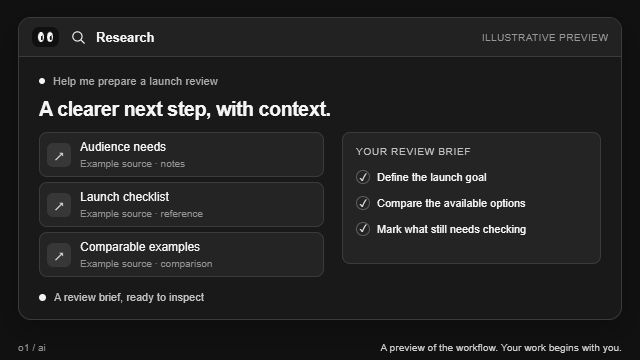
Find a clearer next step.

Explore a question, compare the evidence, and keep the sources close to your draft.

Explore research
Illustrative Research preview: sources assemble into a review draft.
Illustrative workflow preview · Animation unavailable

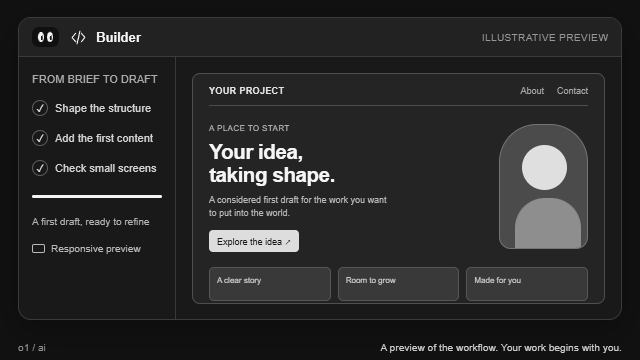
Give your idea a first draft.

Turn a brief into a site draft and preview it. Review the work before publishing.

Explore building
Illustrative Builder preview: a site draft takes shape in desktop and mobile views.
Illustrative workflow preview · Animation unavailable

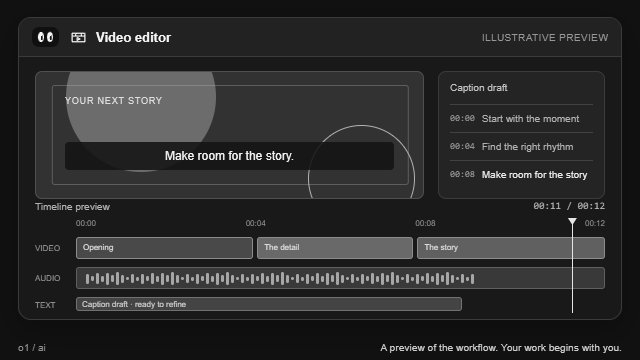
Find the story in your footage.

Bring your video and describe the cut. Inspect the result when your editing job is ready.

Explore video editing
Illustrative Video editor preview: a video timeline moves through a proposed edit.
Illustrative workflow preview · Animation unavailable

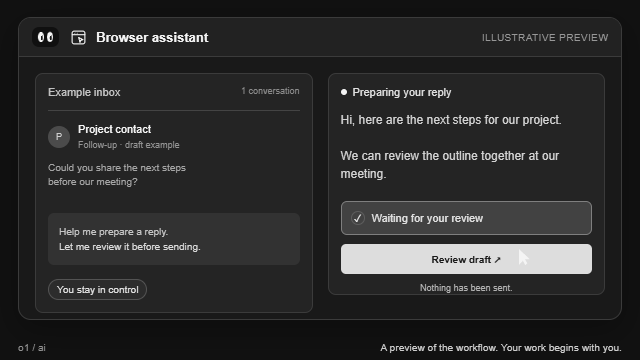
Work where your work already lives.

Prepare a task in your selected Chrome tab. Review proposed actions before they run.

Explore browser tasks
Illustrative Browser preview: a proposed browser action waits for review.

Illustrative workflow preview · Animation unavailable

These are illustrative AI workspace previews. The paid service packages below have their own scope and delivery.

02 / CONNECTED WORKSPACE

Your tools.
One connected o1.

Bring the apps and context you choose. Use connected tools, MCP servers, and reusable skills to move your work forward.

Supported apps, tools, and reusable workflows. Connected through o1.

CONTEXT, WHERE YOU WORK

Bring your apps into the conversation.

Connect supported services such as Notion, Linear, GitHub, Stripe, and Supabase. Choose which tools o1 can use with each connection.

NotionGitHubLinearStripeSupabase

Connections depend on provider setup and your permissions. You review changes before they run.
YOUR NEXT MOVE

Choose your
next step.

Review a package, ask about your project, or explore the self-serve AI workspace.