
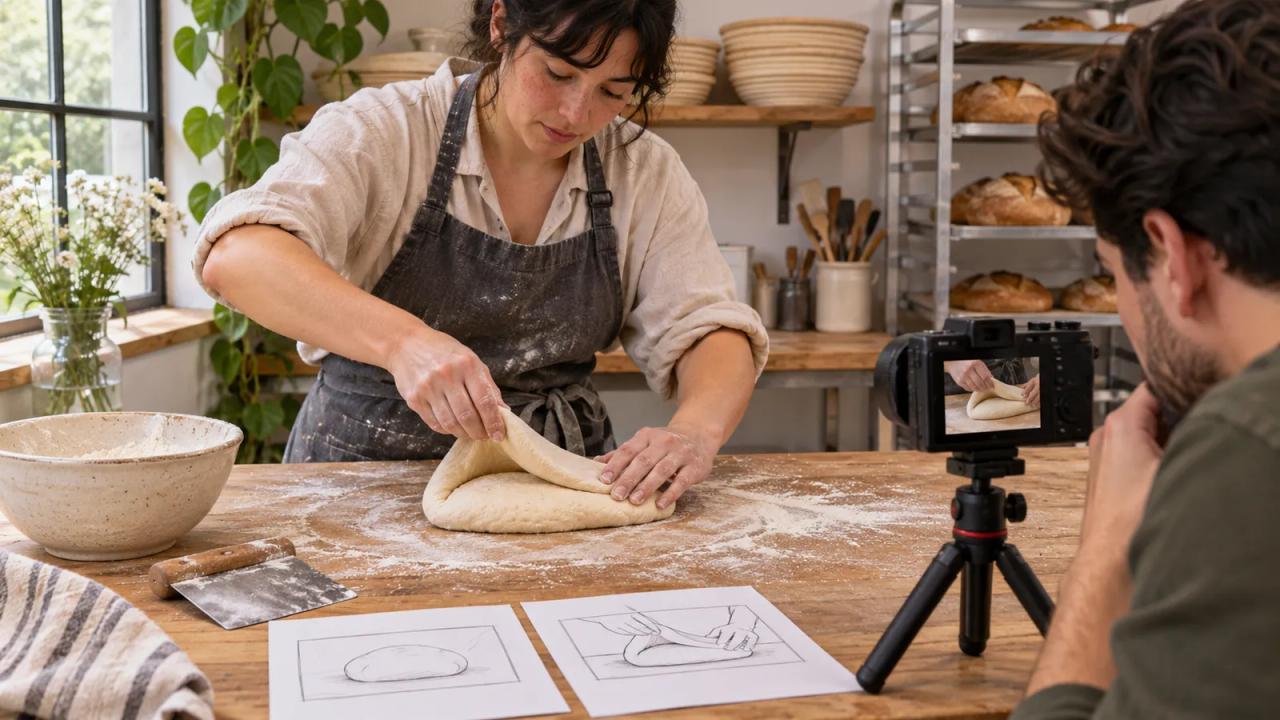
Plan one complete expert action as the shared core of a YouTube episode and a standalone POV Short. Give the episode room to explain the person's decisions. Give the Short one visible task that a new viewer can follow from beginning to end.
YouTube's November 18 Creator Premiere slate offers a timely example. Nick DiGiovanni's new Chef project pairs full-length visits to professional kitchens with short-form POV recipes. You can use that distinction to plan your own modest shoot: two useful viewing experiences built around the same expertise.
In this fictional example, creator Amira visits baker Jo to film how a dough fold changes a loaf's shape. Their finished videos will answer different questions.
| Shoot decision | Episode plan | Standalone POV Short plan |
|---|---|---|
| Viewer question | Why does Jo change her fold for this dough? | What does one complete fold look like? |
| Opening image | Jo compares the dough before and after folding | Both hands lift the first edge of the dough |
| Essential action | One full demonstration plus Jo's explanation | One uninterrupted fold with the whole bowl visible |
| Context | Dough condition, timing, and Jo's chosen adjustment | A brief label identifying the dough and the step |
| Ending proof | Jo shows the change she was looking for | The dough returns to the bowl and the hands clear |
| Handoff | Offer the complete explanation in the episode | Add the episode as a related video where available |
This is a fictional production sheet. The example illustrates editorial decisions, with no promised audience result.
Choose an action that survives both edits
Ask the expert to show you the action once before recording. Watch where their hands move, when the important change happens, and what a beginner would need to know. Write the action in a sentence with a visible endpoint: “Lift, stretch, and fold this edge back into the bowl.”
A task with an identifiable finish gives the short edit somewhere to land. The episode can then explore why the expert chose that action, what they noticed, and what they would do differently in another situation.
Amira drops a planned sequence about cleaning the bench because it would consume their limited shoot time without answering either question. Save good ideas that belong to another video in a separate note.
Record the explanation while the decision is visible
Before the demonstration, ask Jo what she is checking. During the action, let her work. Afterwards, ask what changed. This gives the episode a simple sequence: a condition, a decision, an action, and a result that the expert can point to.
Keep the example specific. Jo can explain the dough in her bowl without presenting one technique as a rule for every recipe. If the explanation depends on time or a prior step, capture that detail and include it where a viewer needs it.
Record a wider view that establishes the workspace and the relationship between the speaker, tools, and action. Keep a note of any repeated demonstration so the edit can represent the sequence accurately.
Give the vertical frame its own coverage
Make a vertical test image before the demonstration you need to keep. Check whether both hands, the bowl, and the movement fit. A readable wide shot can still lose the important edge of the bowl when cropped.
If the action can be repeated safely and honestly, record a dedicated vertical demonstration after the episode coverage. Label it as a second demonstration in the shoot notes. If the action cannot be repeated, agree on the camera position that protects the complete action first.
Use a fixed camera, a helper, or a stable mount for the view you need. POV describes the audience's perspective. You can create that view with an ordinary supported camera setup.
Capture sound and details the edit can use
Listen to a test recording through headphones. Jo's voice needs to remain understandable when the mixer starts or a tray touches the bench. Capture a short stretch of the workspace sound so cuts can keep a consistent background.
Write down which spoken sentence explains the result. If a word is unclear, ask Jo to repeat the explanation while you are still together. Keep the repeated line separate from the original action audio.
Take a final close view of the bowl at the same stage shown in the demonstration. That gives each edit a credible finish. Avoid filling a missing step with a similar-looking shot from a different batch unless the video clearly explains the change.
Build two complete viewing experiences
Assemble the episode around the question in the production sheet. Then build the Short around its narrower question. Watch the Short with someone who has never seen the episode and ask them to describe the task and its endpoint.
YouTube documents a Clips and Shorts tool in Studio for making shorter uploads from an existing video. If you use it, preview the selected segment and check its framing and any generated captions. A dedicated vertical edit can use the same review: the action stays visible, the explanation remains accurate, and the ending resolves the question.
Keep the project files and source clip names with the production sheet. A correction to Jo's explanation can then be checked in both versions.
Link the videos after checking each one
For an eligible channel, YouTube lets you add a related video to a Short in Studio. The feature requires advanced access, and the selected video must be public or unlisted. Select the matching episode, save the change, and check the published Short's destination.
Use the o1 guides and o1 AI workspace to adapt the written shoot brief. Filming, editing, and publishing happen with your camera, editor, and YouTube tools. The physical o1 device is in development. Current o1 specifications
Before the next visit, write the episode's question and the Short's question on the same sheet. Capture the complete action that answers both.